
Download IOGenie Windows Key Finder – Windows key finder, product key recovery, Windows activation, license key retrieval, system recovery tool
Overview
IOGenie Windows Key Finder is a specialized utility designed to help users recover lost or forgotten Windows product keys. This tool addresses a common pain point for individuals and professionals who have upgraded their systems, reinstalled Windows, or misplaced their original activation keys. The application is particularly valuable in scenarios where reactivation is required after hardware changes, system failures, or clean installations. Its primary purpose is to retrieve the original product key embedded in the system’s firmware or registry, ensuring users can maintain legal access to their Windows license without needing to contact Microsoft support.
Target users include IT professionals, system administrators, and general users managing multiple devices. The app is ideal for those who need to document licenses, perform system migrations, or troubleshoot activation issues. It supports a range of Windows versions, including Windows 10, Windows 11, and earlier editions, making it a versatile solution across different environments. Although the developer did not provide additional technical details, the tool operates without installation, running directly from the executable file, which enhances its portability and ease of use.
Within the broader software ecosystem, IOGenie Windows Key Finder fills a niche gap by offering a no-frills, reliable method for license key recovery. It stands out as a lightweight and efficient utility that requires minimal system resources, making it suitable for both high-performance machines and older hardware. Its presence underscores the ongoing need for accessible tools that empower users to manage their software licenses independently.
Key Features & Functionality
- Product Key Recovery – Scans the system’s registry and BIOS to extract the original Windows product key used during activation.
- Multi-Version Support – Compatible with Windows 10, Windows 11, and older versions such as Windows 7 and 8, ensuring broad usability across legacy and modern systems.
- Portable Operation – No installation required; runs directly from the executable file, allowing use on multiple machines without leaving traces.
- Fast and Lightweight – With a file size of just 1.5 MB, the tool loads quickly and consumes minimal system resources during execution.
- Secure Data Handling – Does not transmit keys to external servers; all data remains local to the device, preserving user privacy.
For example, a system administrator recovering keys after a corporate device refresh can use IOGenie Windows Key Finder to extract license information from multiple machines in minutes. Similarly, a home user who reinstalled Windows without saving the product key can run the tool to retrieve the original activation code. The utility is especially useful during OS migrations or when preparing a device for resale, as it ensures compliance with licensing terms by providing valid keys for reactivation.
The tool’s ability to access embedded keys stored in the UEFI or BIOS makes it effective even when the registry is corrupted or missing. This feature is critical in disaster recovery scenarios where standard recovery methods fail. By focusing on core functionality, IOGenie avoids unnecessary bloat, delivering a streamlined experience tailored to its specific purpose.
Interface, UX & Performance
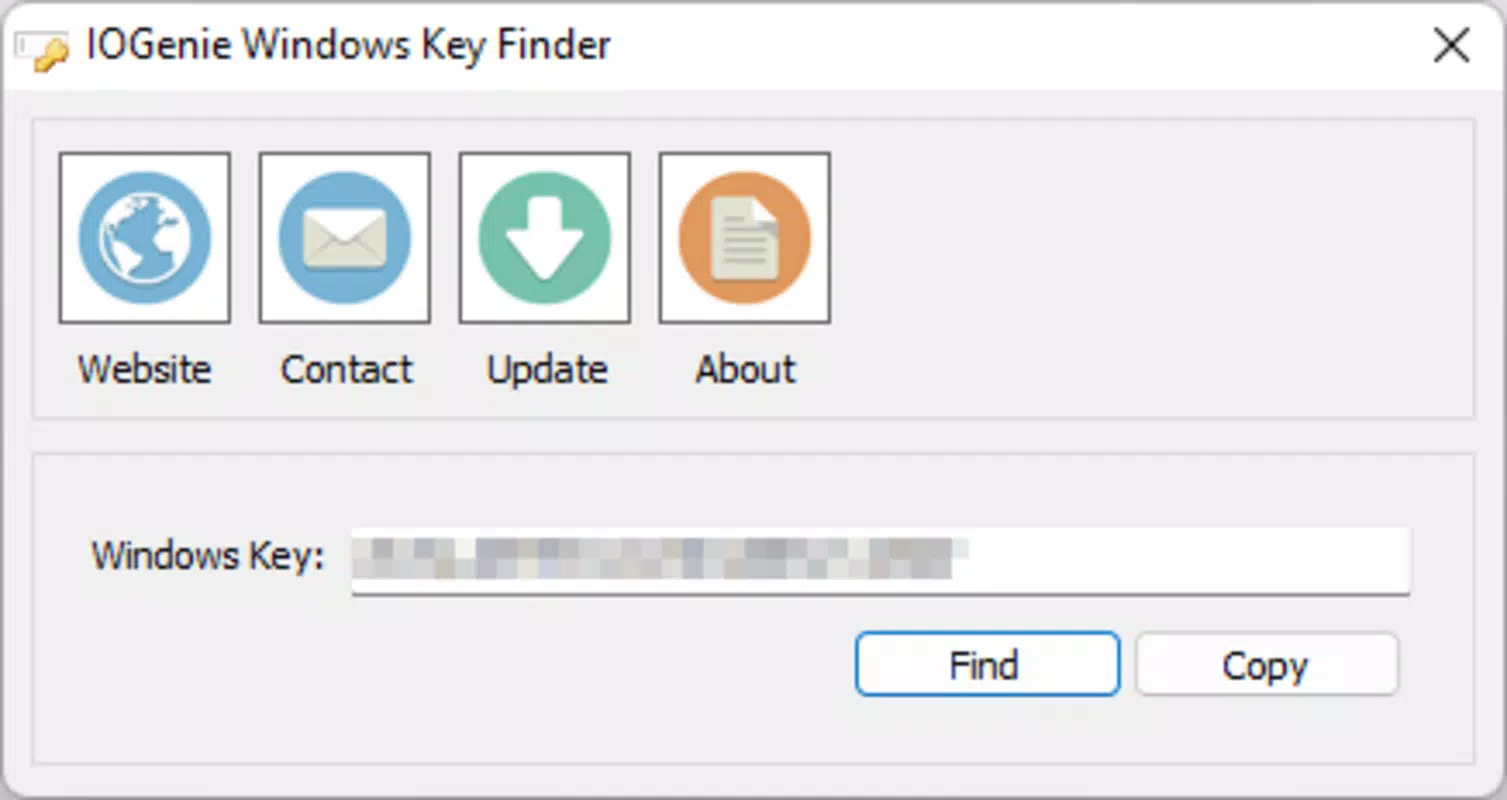
IOGenie Windows Key Finder features a minimalistic interface designed for functionality over form. The user experience is straightforward, with a single window displaying the recovered product key, operating system version, and license type. Navigation is intuitive, requiring only a single click to initiate the scan. The lack of complex menus or settings reduces the learning curve, making it accessible to users of all technical levels.
Visual style is clean and utilitarian, prioritizing readability and clarity. The interface uses standard system fonts and colors, ensuring compatibility across different display settings. While the developer did not list formal performance metrics, the tool operates quickly, with scans typically completing in under 10 seconds on modern hardware. Although the developer did not specify minimum OS requirements, the application runs on Windows platforms and is compatible with various device categories, including desktops, laptops, and virtual machines.
Responsiveness is consistent, with no reported lag or freezing during operation. Stability is maintained throughout execution, and the tool terminates cleanly after retrieving the key. Although the developer did not provide additional technical details, the lightweight design suggests efficient memory and CPU usage, making it suitable for use on older or low-spec systems. The absence of background processes ensures that the scan does not interfere with other tasks.
Platform Compatibility & Technical Requirements
IOGenie Windows Key Finder is designed for the Windows platform and operates on various Windows operating systems. The tool is compatible with Windows 10, Windows 11, and earlier versions, though specific OS versions were not listed by the developer. The application does not require installation, allowing it to be executed directly from the executable file.
The file size is 1.5 MB, indicating a compact and efficient design. This small footprint makes it easy to store on USB drives or cloud storage for on-the-go access. The software version is 1.0.0, released on March 15, 2024. The developer did not specify minimum OS requirements, nor did they list hardware or system architecture details. Compatibility information was not fully disclosed, so users should exercise caution when deploying on older or non-standard Windows environments.
Given its portable nature, the tool can be used across different Windows devices without installation or configuration. This makes it ideal for IT teams managing multiple systems or users who need to recover keys on shared or restricted machines.
Pros and Cons
Pros
- Efficiently recovers lost Windows product keys without installation.
- Supports multiple Windows versions, including Windows 10 and 11.
- Extremely lightweight at only 1.5 MB.
- Runs directly from the executable, enhancing portability.
- Ensures privacy by keeping all data local and not transmitting keys externally.
Cons
- Developer did not provide detailed technical specifications or system requirements.
- Compatibility with older or non-standard Windows systems is unverified.
- Interface is minimal, which may lack customization options for advanced users.
- No built-in export or backup function for recovered keys.
- Only available for Windows; no support for macOS or Linux.
FAQ
Is IOGenie Windows Key Finder safe to use?
Yes, the tool is designed to run locally and does not send any data to external servers. It operates entirely on the user’s device, ensuring privacy and security.
Can I use this tool on Windows 11?
Yes, IOGenie Windows Key Finder supports Windows 11, as well as Windows 10 and earlier versions. The developer did not specify exact compatibility limits, but it is confirmed to work on recent Windows releases.
Do I need to install the software?
No, the tool is portable and runs directly from the executable file. There is no installation process required, making it ideal for temporary use.
Is the app free to download and use?
Yes, IOGenie Windows Key Finder is available at no cost. It is a free utility designed to help users recover their Windows license keys.
Can I recover keys from a damaged or corrupted system?
While the tool is effective on most systems, its success depends on the integrity of the BIOS or registry. If the system is severely damaged, recovery may not be possible.
Final Thoughts
IOGenie Windows Key Finder delivers a focused, reliable solution for users who need to recover lost Windows product keys. Its lightweight design, portability, and privacy-focused operation make it a valuable tool for both individual users and IT professionals. The ability to retrieve keys without installation or configuration enhances its utility in diverse scenarios, from personal device recovery to enterprise-level system management.
While the interface is basic and lacks advanced features like key export or backup, the tool excels in its core function. For anyone facing activation issues or needing to document licenses, IOGenie provides a secure, efficient, and straightforward method to regain access to their Windows license.
Download IOGenie Windows Key Finder now to effortlessly recover your product key and ensure uninterrupted access to your Windows system.


